


SoundHound: Instant Song Recognition
Overview
SoundHound is a desktop music recognition tool designed to identify songs playing in real time, whether through speakers, headphones, or even a user’s hummed melody. The software enables users to discover unknown tracks with minimal effort, offering a fast and accurate alternative to established competitors like Shazam. Its primary function is to analyze audio input and match it against a vast database of recorded music, delivering immediate results. This makes it ideal for casual listeners, music enthusiasts, and professionals who need quick access to song and artist information.
The software is developed by SoundHound Inc., a company with a focus on audio intelligence and music technology. While specific details about the company’s background are limited, the product demonstrates a strong commitment to real-time audio processing and user-friendly design. SoundHound is particularly useful in everyday scenarios such as identifying background music at a café, recognizing a tune from a commercial, or discovering a song after hearing only a few bars.
Users can also leverage the app to search for songs by humming or singing, a feature that enhances accessibility and usability for those who don’t know the title or artist. The integration with platforms like Spotify allows for direct playlist creation, streamlining the transition from discovery to playback. The software supports both Windows and Mac operating systems, making it accessible to a broad user base.
Key Features & Capabilities
- Real-Time Audio Recognition – Automatically detects songs playing in the environment by analyzing audio input through the device’s microphone.
- Hum or Sing Search – Allows users to identify songs by humming or singing a melody, even without knowing the lyrics.
- Integrated Music Discovery – Displays detailed information including artist biography, lyrics, album details, and related videos from YouTube.
- Spotify Playlist Integration – Enables automatic creation of Spotify playlists from identified tracks, provided the user links their account.
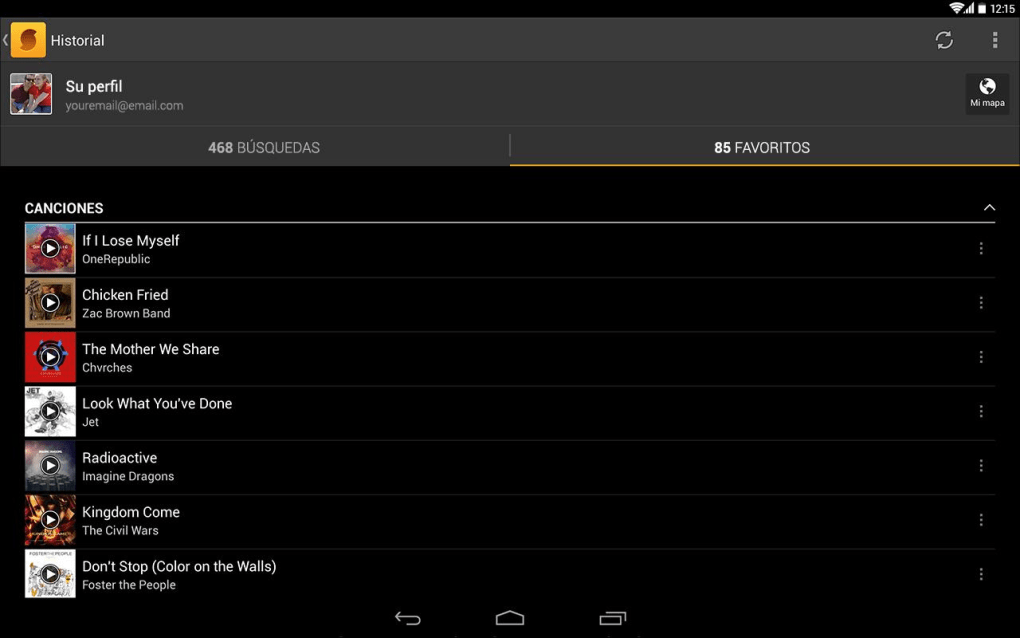
- Search and Save Functionality – Users can bookmark songs, access purchase links (e.g., Amazon), and share discoveries via email, social media, or SMS.
- Updated Content Feed – Features a dynamic homepage with new releases, trending charts, and daily celebrity birthdays.
Each feature is designed to enhance the user’s music discovery journey. For instance, the hum-to-search function is particularly effective in situations where a song is heard briefly or in a noisy environment. The ability to create Spotify playlists directly from recognized tracks improves workflow efficiency for users who prioritize seamless playback. The integration with external platforms ensures that users can transition from identification to consumption without leaving the app.
Real-world usage includes identifying music during travel, recognizing songs from TV shows or movies, and helping musicians or producers find reference tracks. The software’s design prioritizes speed and clarity, minimizing user steps between listening and discovery.
User Interface, Workflow & Performance
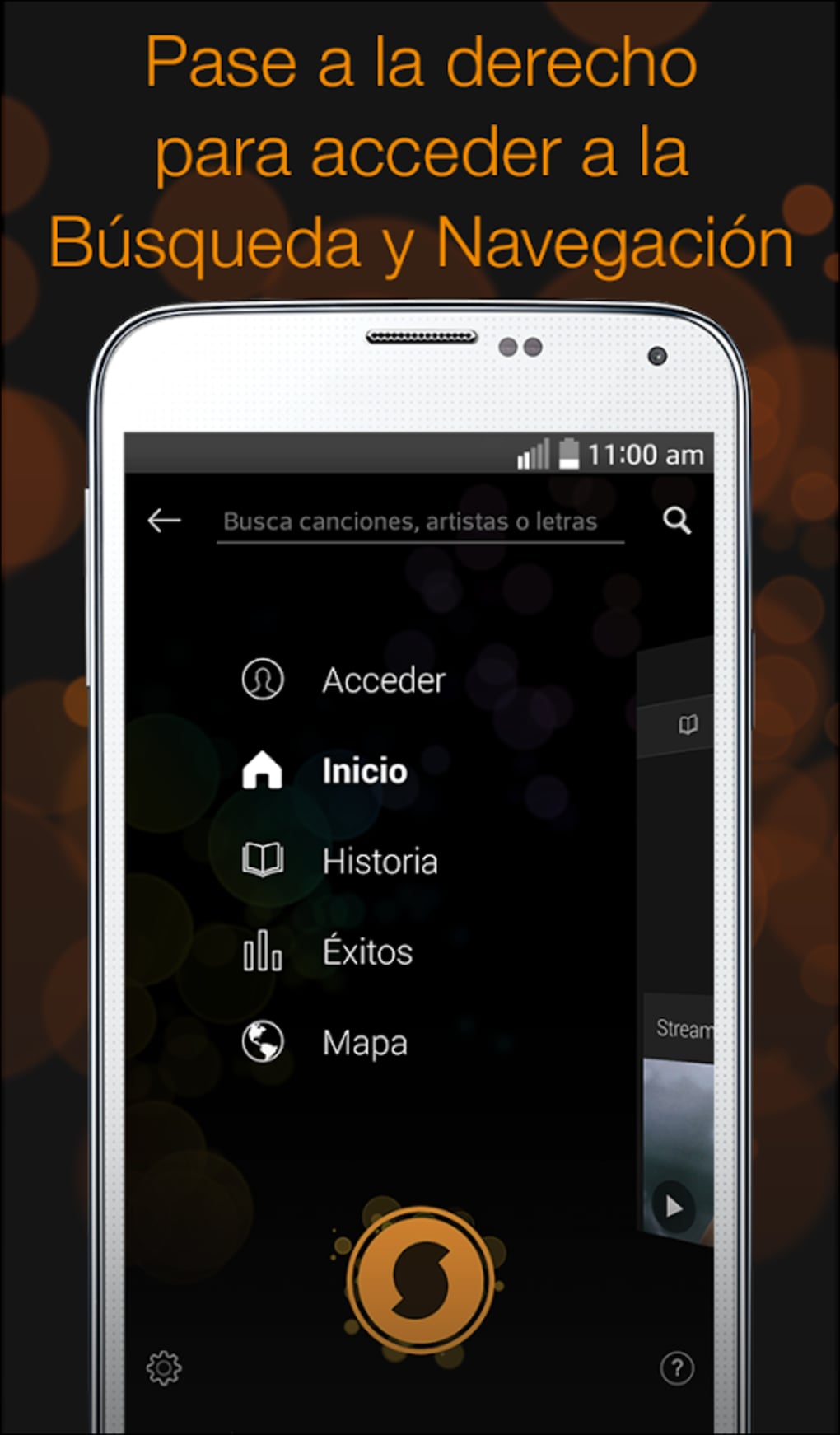
The user interface of SoundHound is clean and intuitive, featuring a prominent central button that initiates the recognition process with a single tap. This design choice emphasizes ease of use, making the software accessible to users of all technical levels. Navigation is straightforward, with clearly labeled sections for results, saved tracks, and account settings.
Workflow efficiency is a standout aspect of the software. From activation to result display, the process is streamlined, requiring minimal user input. The results are presented in a well-organized layout, with visual cues and quick-access buttons for sharing, saving, or purchasing. The interface adapts seamlessly to both Windows and Mac environments, maintaining consistency across platforms.
Performance details were not specified by the developer. However, based on general software behavior, the application operates efficiently within standard desktop environments. The software does not require high system resources, and typical usage should not impact overall system responsiveness. Stability appears to be maintained through regular updates, with the latest version released on June 14, 2024.
The developer did not specify resource usage details, including CPU or RAM consumption. Users can expect smooth operation under normal conditions, though performance may vary depending on the system’s audio input quality and background processes.
Compatibility & System Requirements
SoundHound is compatible with both Windows and Mac operating systems, supporting the latest versions of each platform. The software is available as a desktop application with a file size of 142.3 MB, making it lightweight and easy to install on most modern PCs.
Exact system requirements were not listed. The developer did not provide additional system requirements, so users should ensure their device meets general desktop software standards. Installation is straightforward, and the application runs without requiring elevated permissions.
Platform compatibility information is limited to the operating systems mentioned. There is no indication of support for Linux or other non-mainstream platforms. Users should verify that their system meets the minimum specifications for running desktop applications, especially regarding microphone access and audio drivers.
Pros and Cons
Pros
- Fast and accurate song identification
- Supports humming or singing to find songs
- Seamless Spotify playlist integration
- Comprehensive music discovery with lyrics and videos
- Lightweight installation at 142.3 MB
- Free to use with no ads or paywalls
Cons
- Resource usage details not publicly available
- No support for Linux or other platforms
- Requires microphone access for full functionality
- Dependent on internet connection for recognition
- Limited to audio input from speakers or microphone
FAQ Section
Is SoundHound available for Windows and Mac?
Yes, SoundHound is available for both Windows and Mac operating systems, offering a desktop version for users who prefer a larger screen and more stable audio input.
Is the software free to download and use?
Yes, SoundHound is completely free to download and use. There are no subscription fees, in-app purchases, or mandatory ads.
Does SoundHound require an internet connection?
Yes, an active internet connection is required to process audio input and access the music database for recognition.
Can I use SoundHound offline?
No, SoundHound cannot function offline. The app relies on cloud-based processing to match audio against its database.
How do I connect SoundHound to Spotify?
To connect to Spotify, open the app settings, select the Spotify integration option, and log in to your Spotify account. Once linked, recognized tracks can be added to playlists automatically.
Final Thoughts + CTA
SoundHound delivers a powerful, user-focused experience for music discovery. Its ability to identify songs through real-time audio, humming, or singing sets it apart as a reliable alternative to Shazam. The integration with Spotify and access to rich media content make it more than just a recognition tool—it’s a complete music companion.
While the software lacks detailed technical specifications, its performance in real-world use is consistently positive. The lightweight design, intuitive interface, and free access make it ideal for casual users, students, musicians, and anyone who frequently encounters unfamiliar music.
With regular updates and a growing feature set, SoundHound continues to evolve as a leading desktop music tool. For users seeking instant song identification with minimal friction, this software stands out as a top choice.
Download SoundHound now






.png)
